9 Kings mods are available through community mod listings, including Nexus Mods and Thunderstore. The documented options include interface changes, extra game speeds, and cheat-oriented packages. These are third-party additions; a mod listing does not by itself establish official Steam Workshop support or compatibility with the current game version.
For version 0.9.8, choose a mod by the problem it solves, then verify the package's requirements and supported game version before installing it. This page explains the documented categories and a cautious installation decision process. It is not a verified download catalog, and it does not claim that every listed package works with Patch #31.
Choose the kind of change you need
Begin by naming the unwanted behavior in the ordinary game. If the issue is unreadable plot levels or too many visible troops, a quality-of-life package may be relevant. If the issue is battle duration, an extra-speed package changes a different aspect. If you want a different progression or economy, that is a gameplay-changing request rather than an interface request.
The distinction matters when comparing results. An interface adjustment can make the same kingdom easier to read, while a money or configuration cheat can change the resources used to create it. A run played with altered resources should not be compared directly with an ordinary run as evidence for a legitimate build's performance.
Use the current game's own features first when they already solve the problem. Patch #31 adds Compendium statistics, selected-plot highlights, support-building feedback, and post-game multiplayer kingdom review. A mod made to replace an earlier interface may overlap with improvements that now exist in the base game.
Read the package description for its actual scope. A name suggesting general improvement does not mean it changes every menu, works in every mode, or improves performance on every computer. The useful package is the one whose documented changes match your specific need.
Documented community options
The current research identifies the following examples. Their descriptions establish what the listing claims to provide, rather than confirming successful installation or current compatibility.
| Package or listing | Documented purpose | What to check before use |
|---|---|---|
| 9 Kings Almanac | Browses cards, decrees, and perks through menus or a hotkey, using game art and king frames | Actual downloadable file, required loader, and supported version |
| 9 Qualities of Life | Interface additions such as troop render limits, plot level labels, and loot-level previews | Which options remain useful after current interface improvements |
| Extra Game Speeds 4x 6x 8x | Adds faster speed controls alongside the normal speed choices | Supported build, configuration, and behavior at the chosen speed |
| Infinite Money | Changes the economy through a money-related modification | Whether the altered resources are appropriate for the intended mode |
| More Perks (Discontinued) | An older perk modification whose listing says it no longer works | Discontinued status; do not treat it as a current solution |
| 9KCheatMode | Configuration and cheat features in the Thunderstore listing | Dependencies, maintained release, and the exact changed behavior |
Download counts and endorsements are not compatibility tests. A small or old package can still be listed, and a familiar name can remain visible after the game changes. Inspect the package's actual version and installation information before treating it as usable.
Distinguish managers and loaders from mods
A mod manager organizes packages and dependencies. A loader makes it possible for a compatible package to run within the game. The actual mod supplies the feature you want. These roles can appear next to each other in a community listing, so not every item in the results is a new gameplay modification.
The Thunderstore results include managers and a BepInEx pack for IL2CPP x64 Unity games. That description identifies a loader category, not proof that any arbitrary BepInEx package works with 9 Kings on every platform. The chosen mod must specify the appropriate dependency and version.
Do not combine instructions from unrelated games merely because both use Unity. A game's runtime, architecture, and package requirements can differ. Use instructions written for the exact package and game installation you intend to modify.
Likewise, do not assume that installing a manager automatically installs the wanted feature. Check the active profile or package list and confirm the specific mod is enabled. A successful manager launch is only one step; the game still needs to load the correct package and show its expected change.
If the listing lacks requirements or provides no actual downloadable release, stop at the evaluation stage. A package title and feature description are not enough to supply a responsible exact installation command or folder path.
Check version and platform before installing
9 Kings currently supports Windows and macOS, but game support and mod support are different questions. A mod must document compatibility with the operating system and game build you use. A generic claim that the underlying loader supports a platform does not confirm the individual package.
Record the game version before installing. Patch #31 is version 0.9.8 in this guide's baseline. If a package describes an older build, look for an update or compatibility note rather than assuming the same interface or perk definitions still exist.
Perk modifications deserve particular care because the base system has received major reworks. Arcane, Sorcerous, Hunter, Brutal, and several other effects now behave differently from older descriptions. A discontinued package built for a former perk system cannot be treated as a shortcut to the current loadout system.
The same applies to card modifications. Reinforce has a new HP-based battle effect, Oblation replaces Vampirism, and Recycler replaces the former Progress Precision slot. A mod that expects the old card behavior may change the wrong premise or fail to provide the claimed result.
If the package publishes a change log, read the part relevant to the current game version and the feature you want. A recent upload date alone is not a statement that the file supports every current patch.
Prepare an isolated modded setup
Before making changes, identify how you will return to an ordinary launch. A manager's separate profile can help when it supports the chosen game and package. For manual installation, understand which files the package adds and how its own instructions describe removing them.
Preserve your existing saves and configuration before experimenting. The useful backup is one you can identify and restore, not an assumption that every change is automatically reversible. Follow the game's and package's actual file locations instead of guessing from another game's installation.
Add one package at a time. This makes the expected change easy to identify and gives you a clearer point of comparison if the game fails to load. Installing several unrelated packages together makes it harder to determine which dependency or feature produced the problem.
Start with the least intrusive package that meets the need. If the goal is a readable plot label, adding a broad cheat suite introduces more changed behavior than the task requires. If the goal is an economy experiment, use a setup whose altered resources you can keep separate from ordinary play.
The installation method should come from the chosen package. This guide does not provide a universal drag-and-drop directory because the available listings do not establish one compatible procedure for every mod, loader, and platform.
Verify the expected feature in a fresh run
After installation, launch the intended profile and confirm the game reaches its normal menu. Then identify the specific change the package claims to provide. A new Almanac menu, extra speed controls, or visible plot labels gives you a concrete check of the feature.
Use a fresh run for the first comparison. The developers require new runs after patches so updated run data applies, and an old saved kingdom can complicate a feature check. Keep the initial test small enough that you can recognize whether ordinary placement and battle progression still behave as expected.
Check the configured option rather than assuming every feature is enabled by default. A quality-of-life package may expose several independent controls. Enable only the option you need and inspect its result before changing more settings.
For an extra-speed package, inspect behavior at the selected speed with a modest kingdom first. Faster controls do not guarantee that every computer or very large battle remains readable and stable. The relevant check is whether the game continues normally and whether the speed change serves your purpose.
For a render-limit option, distinguish visual population from the kingdom's actual troop statistics. A display cap can change what is drawn without necessarily changing unit count. Read the package's documented behavior rather than interpreting fewer visible troops as proof that the army was reduced.
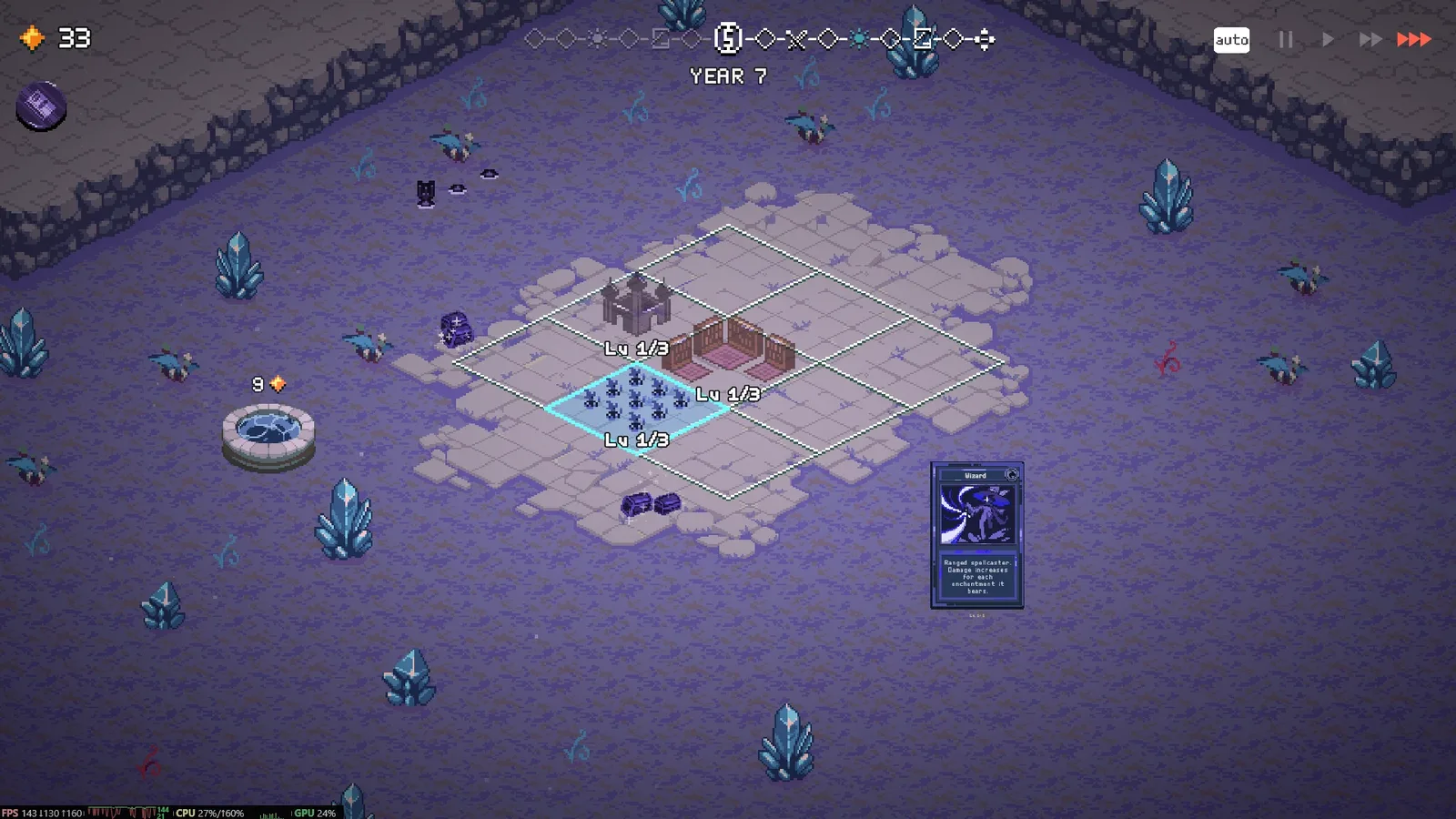
Plot level labels are one of the documented quality-of-life additions.
Keep competitive assumptions explicit
The current game has asynchronous multiplayer, where saved kingdoms from real players become opponents. A gameplay-changing mod can alter how a kingdom is constructed or represented. A package's public availability does not establish that its changes are accepted by the multiplayer rules or that modified runs are equivalent to ordinary competition.
Do not rely on unsupported claims of immunity from account consequences or guaranteed detection avoidance. Those claims do not help establish what the package actually changes. Check the current game rules and the package's intended use before entering competitive play with altered gameplay.
Interface-only descriptions also deserve a scope check. A package can say it does not change gameplay, but you should still inspect its actual feature list and version. The purpose of the distinction is to understand the experiment you are conducting, not to grant every package automatic approval for every mode.
If you want to examine a build under altered money or progression, keep the result labeled as that experiment. It can help you understand a mechanic, but it cannot establish the ordinary build's accessibility, early survival, or current ranked performance.
Diagnose failure by reversing the last change
If the game stops loading or a feature does not appear, inspect the package requirements, selected profile, and enabled state first. Then disable the newly added package and launch the ordinary game to determine whether the change is associated with the failure.
Avoid immediately adding another loader or copying files from several installation guides. That can make the state harder to understand. Return to the known setup, identify the missing requirement or incompatible version, and only then apply the package's documented correction.
A crash in an existing run also needs version context. The base game has fixed multiple freezing and soft-lock interactions, including King of Time with Wise and Amplifiers in Patch #31. Confirm that the game is updated and that a fresh unmodified run works before blaming or validating a mod from one old save.
Remove packages that are discontinued or cannot establish compatibility with your installation. Keep the setup that solves the named problem with the fewest changes, and recheck it when the game updates. That makes the next mod decision a comparison of documented features and a working baseline rather than a collection of unverified downloads.
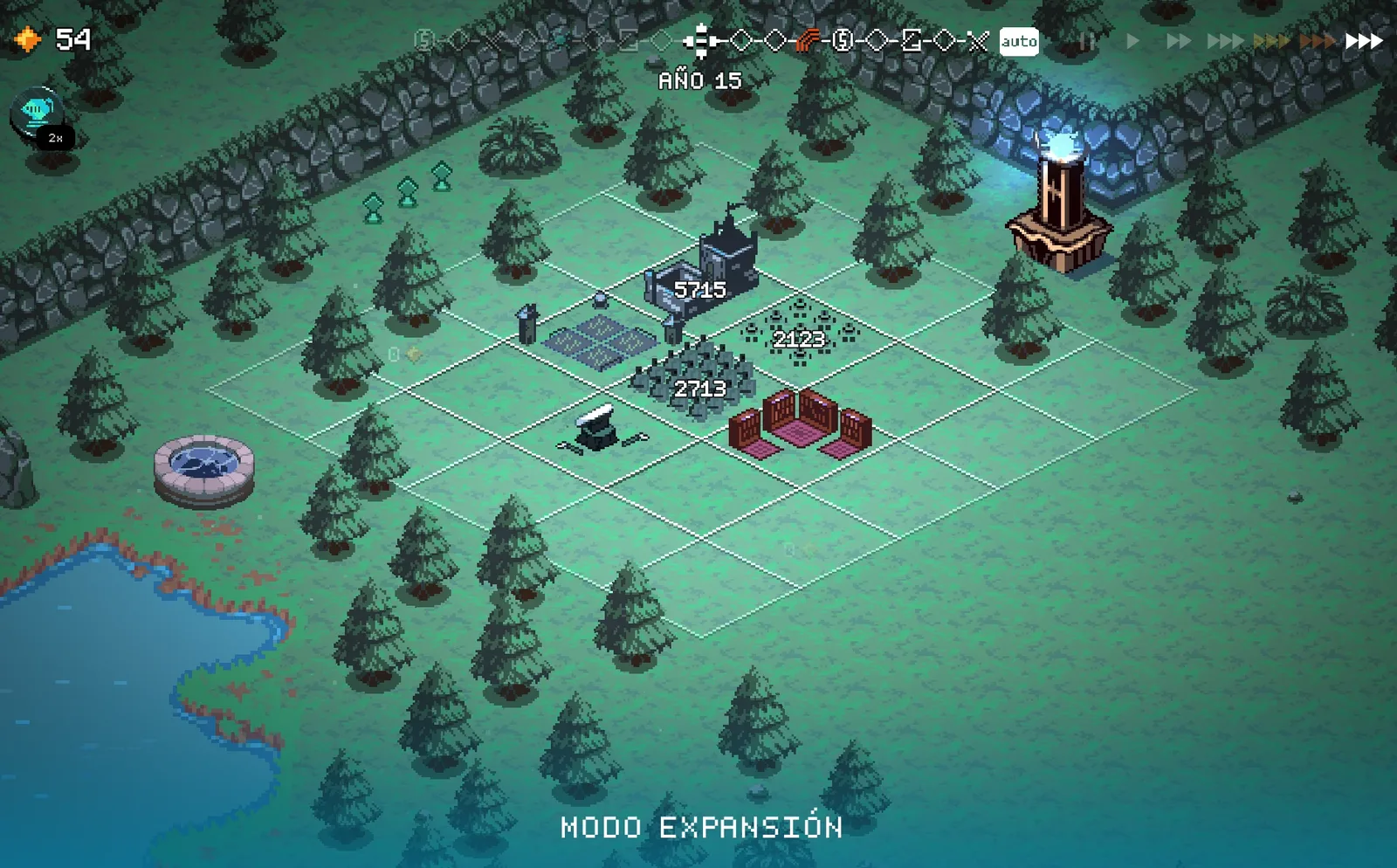
The speed modification adds controls beside the normal speed buttons.