9 Kings is available on Android, iPhone and iPad. Playdigious released the mobile edition on October 12, 2026. Download it from the official Google Play listing or App Store listing. Both offer a free trial with limits; the full game requires an in-app purchase. The release date is confirmed on the publisher's game page.
Owning 9 Kings on Steam does not include the mobile purchase, and your Steam save cannot transfer to mobile. Android progress can continue through Google Play Games on PC using the same Google account, but Android and iOS saves cannot transfer between each other. Check those boundaries before choosing where to start. See the official purchase policy and save-transfer policy.
Choose the official download for your device
| Platform | Official download | Check before installing |
|---|---|---|
| Android phone or tablet | 9 Kings by Playdigious on Google Play | Android 10 or later, at least 2 GB RAM, and a supported device/GPU |
| iPhone or iPad | 9 Kings by Playdigious on the App Store | iOS/iPadOS 15 or later and an A12 Bionic chip or later |
Open the listing on the device you want to use and check its compatibility result. Meeting the Android OS and RAM minimums does not guarantee support: Playdigious also excludes hardware that fails its performance tests. Its device requirements list Pixel C, Poco M3 and Samsung A21s as excluded devices.
The excluded Android GPUs are Mali 400, Mali 450, Mali T-720, PowerVR GE8320, PowerVR GE8322, Imagination Tech BXM 4-64, Mali G-52 MC2, Mali G-72-MP3, Adreno 610 and Adreno 612. Other devices may also be manually excluded. If Google Play marks your device incompatible, an OS update or sufficient RAM alone does not establish that it can run the game.
What the free trial and full purchase include
The free download lets you try normal runs and the opening quests before paying. Reaching Year 33, a King-level cap or a locked mode can be a trial restriction. The official full-game FAQ gives these limits:
| Content | Free trial | Full purchase |
|---|---|---|
| Playable Kings | King of Nothing and King of Spells | Opens access to all Kings and their starting decks; a King already unlocked in the trial is accessible immediately |
| King progression | First three levels for each available King, plus their perks | Continue levelling Kings beyond level 3 |
| Difficulties | First three can be unlocked: Peasant, Squire and Knight | All 25 can be unlocked as you level up |
| Normal run length | Up to Year 33 | Endless Mode allows runs beyond Year 33 |
| Quest Mode | First three quests, up to Year 33 | All quests and their Endless Mode |
| Multiplayer | Requires full purchase | Available after completing three single-player runs |
You can encounter enemies from any of the nine Kings during the trial. Seeing an enemy King does not mean that King is playable on your trial account.
As checked on October 22, 2026, Playdigious lists the full unlock at $9.99 / €9.99, and the US App Store lists its “Unlock full game” purchase at $9.99. Check the price displayed at your own store checkout for your region and any current offer. The publisher's page also advertises a limited-time discount without giving its end date, so this guide does not assume that offer applies to every checkout.
Purchasing removes the trial's access restrictions; difficulty progression still has to be earned. If you already bought the Steam edition, budget for a separate mobile unlock. The Google Play “buy once, play anywhere” feature applies to the Android edition and Google Play Games on PC, as described in the publisher's purchase FAQ.
Save transfers and changing phones
Choose your save ecosystem before investing time in a run. These are the supported boundaries described by the official transfer FAQ and the platform store descriptions:
| Move your progress between | Supported | Account or restriction |
|---|---|---|
| Android devices | Yes | Use the same Google Play account in-game and let cloud synchronization finish |
| Android and Google Play Games on PC | Yes | Use the same Google Play Games account |
| iPhone and iPad / other supported iOS devices | Yes | Use the same Apple account in-game and let synchronization finish |
| Android and iOS | No | Cross-platform multiplayer does not enable cross-platform save transfers |
| Steam and mobile | No | Steam progress cannot be imported into the mobile edition |
To change phones within a supported ecosystem:
- On the original device, make sure you are logged into your Google Play or Apple account inside the game.
- Install 9 Kings on the second device and connect to a steady internet connection.
- Log into the same account in-game and wait for synchronization to complete.
- Start a run only after the synchronization finishes.
That last step matters: Playdigious warns that starting too soon can overwrite your previous progress. These steps follow its phone-transfer instructions.
Mobile controls and reading cards
The mobile edition has a redesigned interface with full touch controls. When card text is hard to read, keep your finger pressed on a selected card to enlarge it and read its description. Playdigious includes the larger-card behavior in its October 19 mobile update notes.
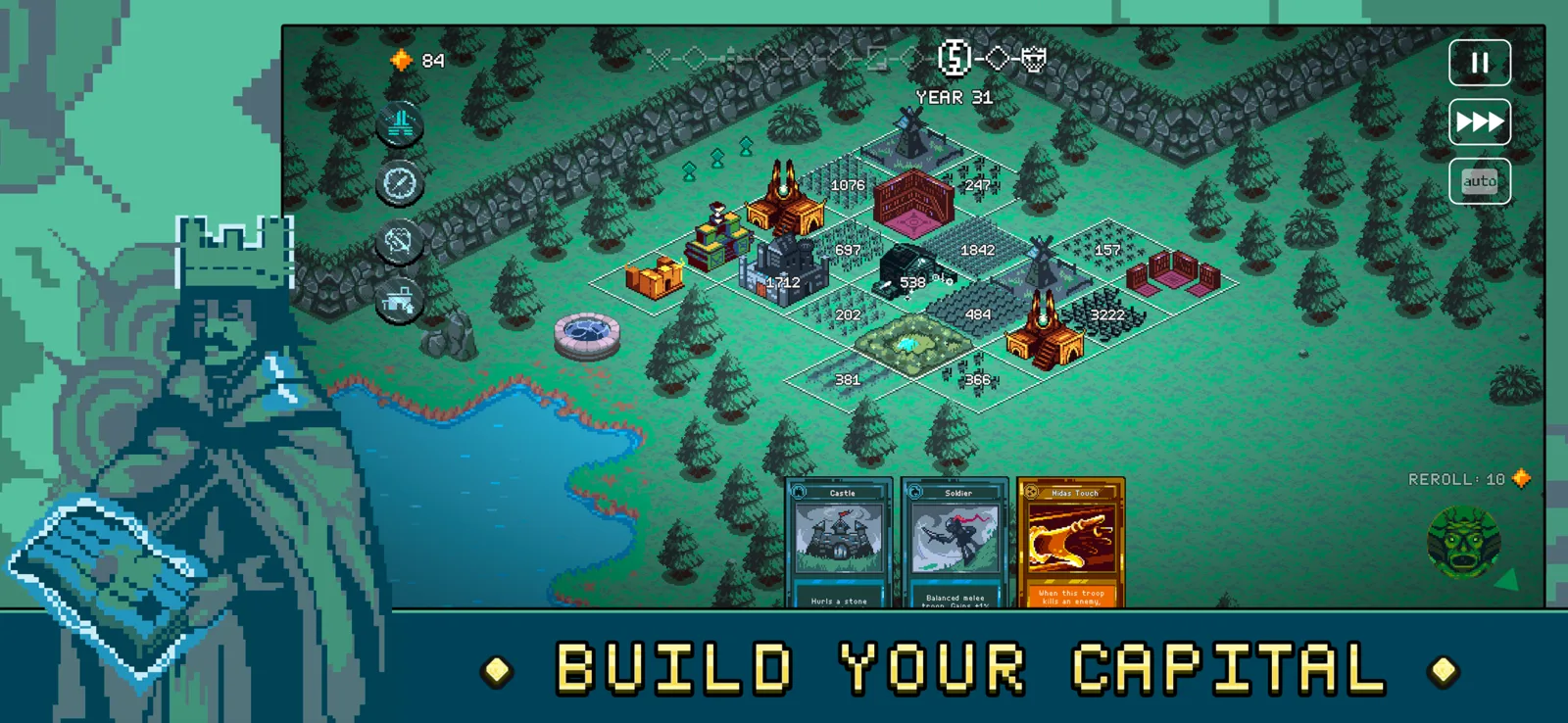
The mobile interface places your cards below the kingdom grid. This view does not show an enlarged card.
Controllers are supported, although Playdigious recommends touch controls and cannot guarantee every device/controller combination. Try your controller during the free trial if that is how you intend to play. See the controller compatibility FAQ.
Unlocking mobile multiplayer
Buy the full game and complete three single-player runs to unlock multiplayer. The official requirement says complete runs; it does not specify that you must win all three.
Multiplayer is asynchronous: you fight recorded “ghosts” of previous players. The official cross-platform FAQ says it supports opponents across platforms, but you cannot choose an opponent or arrange a match against a specific friend. Shared matchmaking also does not transfer your purchase or save between stores.
Purchase recognition and missing-progress fixes
Start by checking the update offered by your own store. Playdigious's October 19 notes, labelled Update 1.0.5, report fixes for iOS progression resets on launch and Android paywalls appearing after purchase. The US App Store lists those iOS fixes under version 1.0.4, while the Google Play listing shows an October 16 update date with Android paywall fixes. Version labels differ across these official pages; use the update available for your platform rather than assuming every store uses 1.0.5.
The full game appears locked while offline
After a fresh installation or an update, 9 Kings needs an internet connection to verify your purchase again. Playdigious's offline-paywall instructions give this sequence:
- Open the paywall.
- Turn off Airplane Mode and connect to the internet.
- Tap the purchase button again. The store should recognize an existing purchase; Playdigious says you will not be charged again for that recognized purchase.
- Wait for verification to close the paywall, then relaunch the game.
Once verified, the paywall should no longer appear on the next offline launch. If an Android purchase still goes unrecognized while online, the Android support article also suggests clearing the app's cache and rebooting the phone. Clear cache rather than deleting app data.
Progress disappears on iOS
An older known-issue article warns that some iOS players could lose progress after relaunching or reinstalling. The later update notes report a fix for progression resets at launch. Install your store's available update before treating the older warning as the current behavior of every device.
The official support article does not give a guaranteed recovery method for progress already lost to that bug. Avoid reinstalling as a recovery experiment; use Playdigious Support if progress is still missing after updating.
Related guides
- Read 9 Kings gameplay when you are ready to learn the run structure and make your first card-placement decisions.
- Use the 9 Kings beginner build when you want help forming a coherent starting strategy.
- Continue with 9 Kings multiplayer after checking the purchase and three-run requirements above.